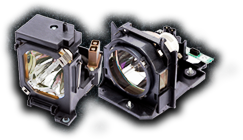

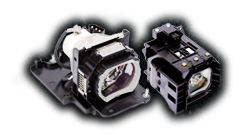
How to Install a Projector Lamp Safely: A Step-by-Step Guide
Replacing a projector lamp is one of those maintenance tasks that looks intimidating, but is actually well within reach. With the right precautions and about 15 minutes of your time, you can save yourself a service call and get your projector back to full brightness. But looks simple doesn't mean no risk. Projector lamps contain mercury, operate under pressure, and reach scorching temperatures during use. Installing one carelessly can damage your projector, void your warranty, or, in rare cases, cause injury. At MyProjectorLamps, we've shipped thousands of replacement lamps, and we want every customer to install theirs safely and correctly. Here's exactly how to do it right. Before You Start: Safety First Projector lamps are not standard light bulbs. They require specific handling precautions that you should follow every time, without exception. Let the projector cool completely. A projector lamp that was recently running can be hot enough to cause serious burns. After powering down, wait at least 30 minutes or ideally a full hour before opening the lamp compartment. The glass and metal components retain heat far longer than the outside of the projector. Unplug the power cord. Don't just power off the projector. Disconnect it from the wall outlet. Lamps operate at high voltage, and residual power in the system can be dangerous. Work in a clean, well-lit area. You'll be dealing with small screws and a delicate component. A cluttered workspace increases the chance of dropping the lamp or losing hardware. Never touch the bare bulb with your fingers. Oils from your skin create hot spots on the glass that dramatically shorten lamp life and can cause the bulb to shatter. Always handle the lamp by its plastic housing only. Wear safety glasses and gloves if possible. While rare, lamps can crack during handling, and broken lamp glass is sharp and contains mercury vapor. What You'll Need- Your replacement projector lamp (matched to your exact projector model)
- A Phillips-head screwdriver (size varies by model — typically #1 or #2)
- A clean, lint-free cloth
- Optional but recommended: safety glasses, nitrile or cotton gloves
- Your projector's user manual (or the installation guide that came with your lamp)
- Epson, BenQ, Optoma: Usually, the top or side panel
- NEC, Panasonic: Often, the side or rear panel
- Sony, Sharp: Typically, the bottom panel
- Home theater projectors: Often, a dedicated rear access door
- Check for broken glass. If the old lamp ruptured, carefully vacuum the compartment with a low-power vacuum or wipe with a damp cloth. Wear gloves and avoid breathing in any dust.
- Clean the lamp compartment. Gently wipe away dust from around the lamp bay with a dry, lint-free cloth.
- Inspect the air filter. Many projectors have a filter near the lamp compartment — now is the perfect time to clean or replace it.
- Epson: Menu → Reset → Reset Lamp Hours → Yes
- BenQ: Menu → System Setup → Reset Lamp Timer → Reset
- Optoma: Menu → Options → Lamp Settings → Lamp Reset → Yes
- NEC: Menu → Reset → Clear Lamp Hours
- Panasonic: Remote → Hold "Enter" on startup, or Menu → Status → Lamp Runtime → Reset
- A brighter, more vivid image than before
- No "Replace Lamp" warning
- Normal startup sequence with no flickering
- Double-check that the lamp module is fully seated
- Make sure all screws are tightened and the cover is properly in place
- Verify you installed the correct lamp for your projector model
- Lamp recycling programs are offered by many municipalities, and electronics retailers (Home Depot, Lowe's, and Best Buy often accept them)
- Hazardous waste collection events in your community
- Mail-back recycling services like those offered by LampRecycle.org
- Your local recycling center, call ahead to confirm they accept projector lamps
- Your projector is ceiling-mounted in a hard-to-reach location
- The old lamp ruptured and left significant debris
- You're uncomfortable working with electronics
- Your projector is a large venue or commercial unit (these often have dual-lamp systems and more complex procedures)
- The warranty on your projector specifically requires professional service
- Every lamp is backed by our 180-day guarantee
- We offer free US ground shipping on all orders
- Our Lowest Price Promise means you won't find the same lamp cheaper elsewhere
- Our support team can verify compatibility before you buy